Placeholder
Free user plan
Coming soon
- One account across teams and sports
- Watch the games you have been approved to watch
- Exact scope to be confirmed



Baseball & softball first
Homeplayr uses the phones already at the field as cameras. A separate scorer phone keeps the game. Leagues decide who can see what. iPhone first, Android coming.
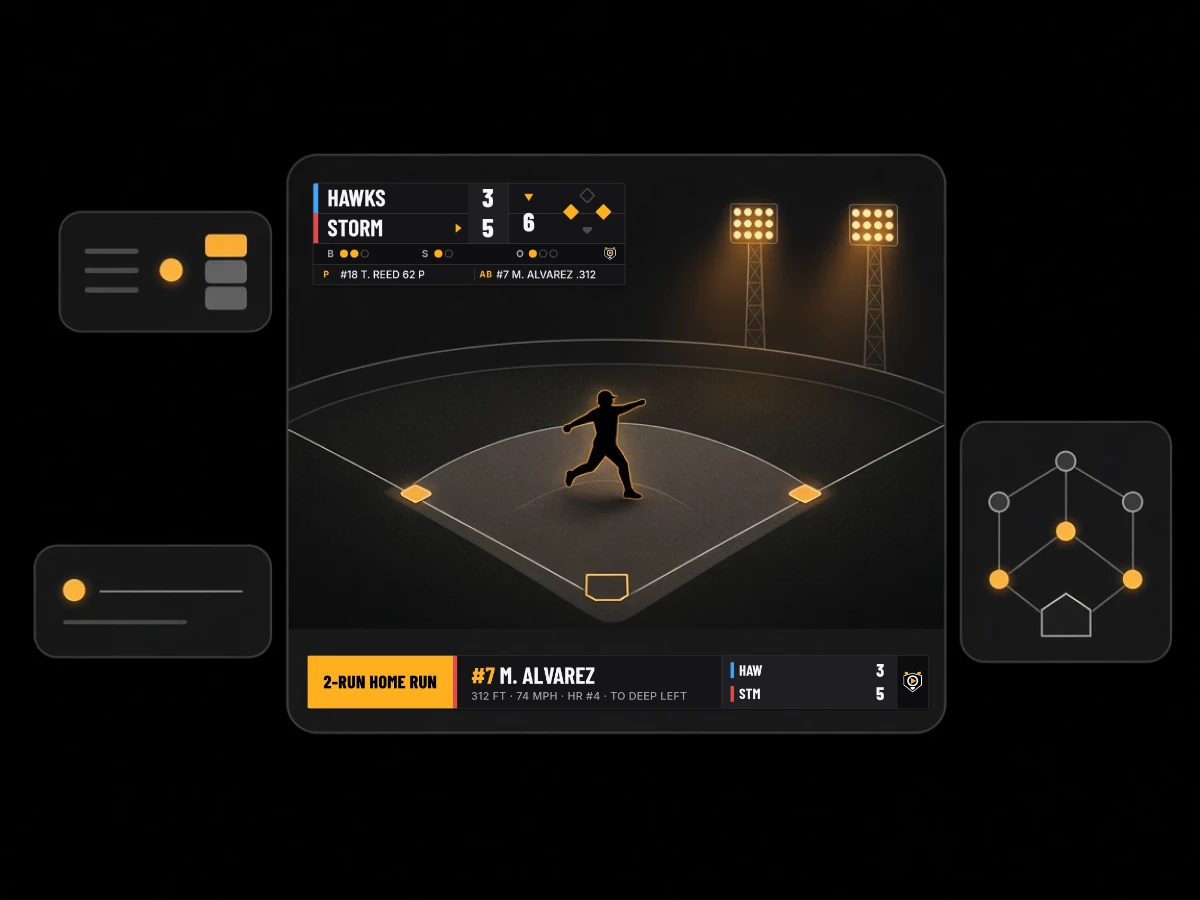
Homeplayr is in development and has not launched publicly. What you read below is what we are building, labeled by how far along it is. The image is an illustration with fictional teams.
One parent films from behind the backstop. Another is keeping the book in pencil. The league manager gets a text asking whether grandma can watch. The signal at the field is whatever it is.
Homeplayr is meant to take that setup seriously: several cameras instead of one, a scorer who is not also the cameraman, streams that try to recover on their own, and access that is closed until someone opens it.
Features
“Coming soon” means it is built or being built but not released. “In design” means we have planned it and not built it yet. Nothing on this page is available to the public today.
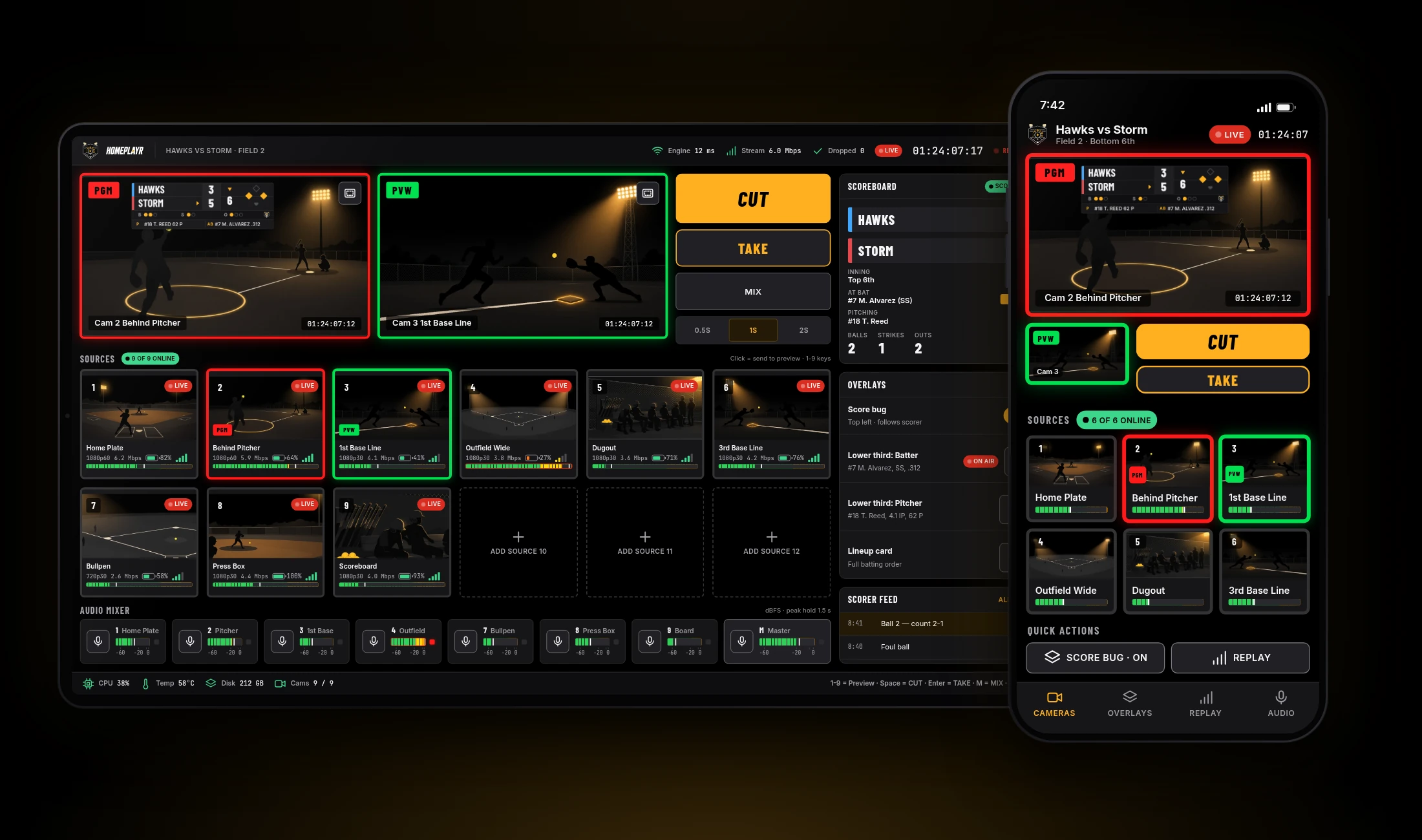
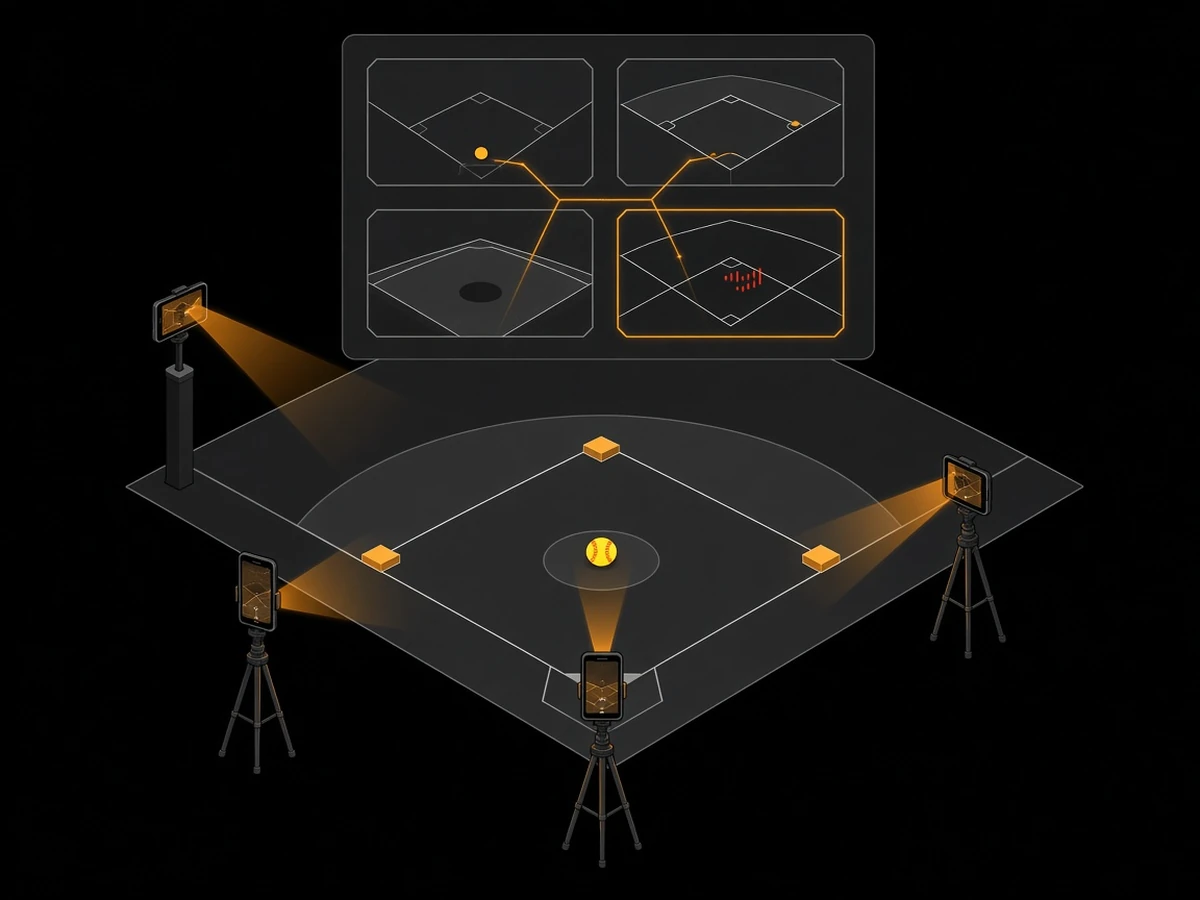
Parents and volunteers point their own phones at the field. Each phone is a camera source, and more than one angle is supported from the start. Time-synced timestamps help the angles line up.
Preview each camera, then send one to the program output. Built for a volunteer with a tablet or laptop, not a production truck.
Pick which lens each phone uses, so the phone behind the plate can go wide and the one down the line can reach farther.
Mute a camera at the source. Unmuting takes two authorized people, so a hot mic near the dugout does not end up on the stream by accident.
Phones get hot in July. Homeplayr is designed to adjust stream quality to protect battery life and avoid overheating, and to restart a dropped stream automatically.
On-screen score and inning, drawn in each team’s colors and logo.
The scorer works from a separate phone. Lineups are entered once. Guests and visiting teams get a simple screen of their own.
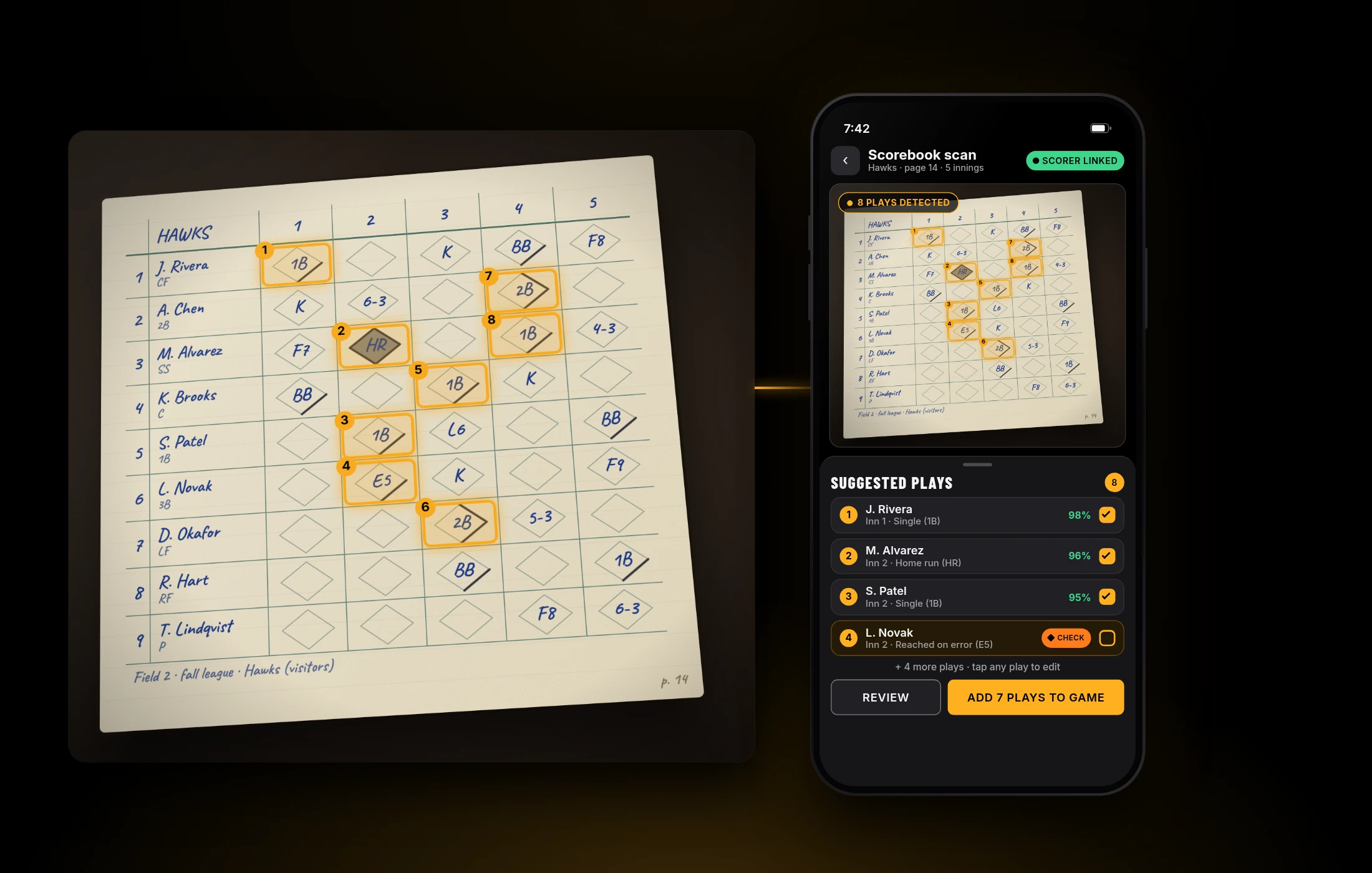
Take a picture of the paper scorebook and Homeplayr suggests the plays and stats. The scorer reviews and confirms before anything is final. Suggestions can be wrong, which is why that step is there.
Team and player pages built from confirmed scoring.
One account per person, linked to as many leagues and teams as they belong to. Roles are player, coach, parent or guardian, approved spectator and league manager. A role covers only what it was granted. Everything else stays closed, and changes are logged.
Manage teams, schedules, people and permissions from a browser.
More than one person running cameras and the switcher for the same game.
Each team gets its own branded stream. Two teams on neighboring fields can share a camera.
Let a league charge for streams, and let a family cover every kid and team on one plan.
For leagues and partners who want to connect their own systems.
Scoring
Scoring runs on its own phone, apart from the cameras. Whoever is scoring watches the game and taps the plays. Whoever is filming films.
If you keep a paper book, photograph the page. Homeplayr suggests what happened. You fix what is off and confirm.
The AI only suggests. A person confirms.
AI scorebook suggestions are in design and have not been tested in the field. We are not making accuracy claims.
Who it is for
You have a dozen fields, a hundred volunteers and parents who all want something different. You need to decide who can see which games, and keep that decision in one place.
Film the tournament on parents’ phones, score it, and send the right people the right link. No gear to buy or carry.
One account for every kid and every team, across sports. You see the games you have been approved for, and nothing else.
Open the app, pick a game, point your phone. If it drops, it tries to reconnect without you.
How it works
The league or coach creates the game and gives people roles: scorer, camera, viewer.
Volunteers join the game and each phone becomes a camera angle.
One person runs the switcher. Another scores on a separate phone.
Approved family and fans watch. Everyone else stays out.
This describes the experience we are aiming for. Details will change.
Where we are
Platforms: iPhone first. Android is coming after.
Plans
PlaceholderPlans exist at three levels. Names and contents are not final and no prices have been set. If you want to be in the conversation, join the waitlist. Early signups may be offered a founding rate; details to come.
For one person: a parent, a player, a grandparent, a fan.
Placeholder
Coming soon
Placeholder
Coming soon
For a coach or travel team streaming and scoring its own games.
Placeholder
Join the waitlist
For leagues and clubs running many teams and fields.
Placeholder
Request a quote
Waitlist
We will email you when there is something real to try. We use your details only to contact you about Homeplayr.
Request a demo
Tell us how you run things today. We will walk you through what exists, what is coming soon and what is still on the drawing board, and we will be clear about which is which.
Demos may show prototypes and illustrations.
FAQ
No. It is in development and has not launched publicly. Join the waitlist or request a demo and we will tell you when that changes.
Baseball and softball first. The account and roles are designed to span sports. iPhone first, Android coming after.
No. The idea is that phones people already have become the cameras.
Homeplayr is designed to restart the stream and reconnect automatically. We have not yet tested this across real fields and networks, so we are not promising results.
No. AI only suggests, for example when reading a photo of a paper scorebook. A person reviews and confirms. This is still in design.
Only people who were granted access, and only to what they were granted. The default is no access.
Our plan is to train only on public footage and on footage of approved players, never on customer data. We will publish the details on the privacy page before launch.
Pricing has not been set. The plans above are placeholders and are shown without prices.
Plans are planned at three levels. An individual gets a user plan, including a free one, and a paid user or family option is coming. A coach or travel team would use a Team plan. A league or club running many teams would use a League plan. Names and contents are not final.
A platform API is in design. The developer site is not live yet.